Updated September 14, 2026
How to connect Yelp to GoHighLevel
Five steps, about 15 minutes, no developers — with the real screens.
To connect Yelp to HighLevel (GoHighLevel), install WarmReply from the HighLevel marketplace, add your Yelp page link, and connect Yelp's official Zapier integration in a guided checklist — about 15 minutes, self-serve. From then on, every Yelp Request-a-Quote lead lands in Conversations and your replies deliver back into the Yelp thread. Here is each step with the actual screens.
Step 1 — Install WarmReply from the marketplace
Open WarmReply in the HighLevel marketplace and install it into the sub-account whose Yelp leads you want. When the install finishes you land straight in the setup wizard, already signed in — there is no password to create and nothing to copy across. The trial starts here: 14 days, whole product switched on.
Step 2 — Add your Yelp page
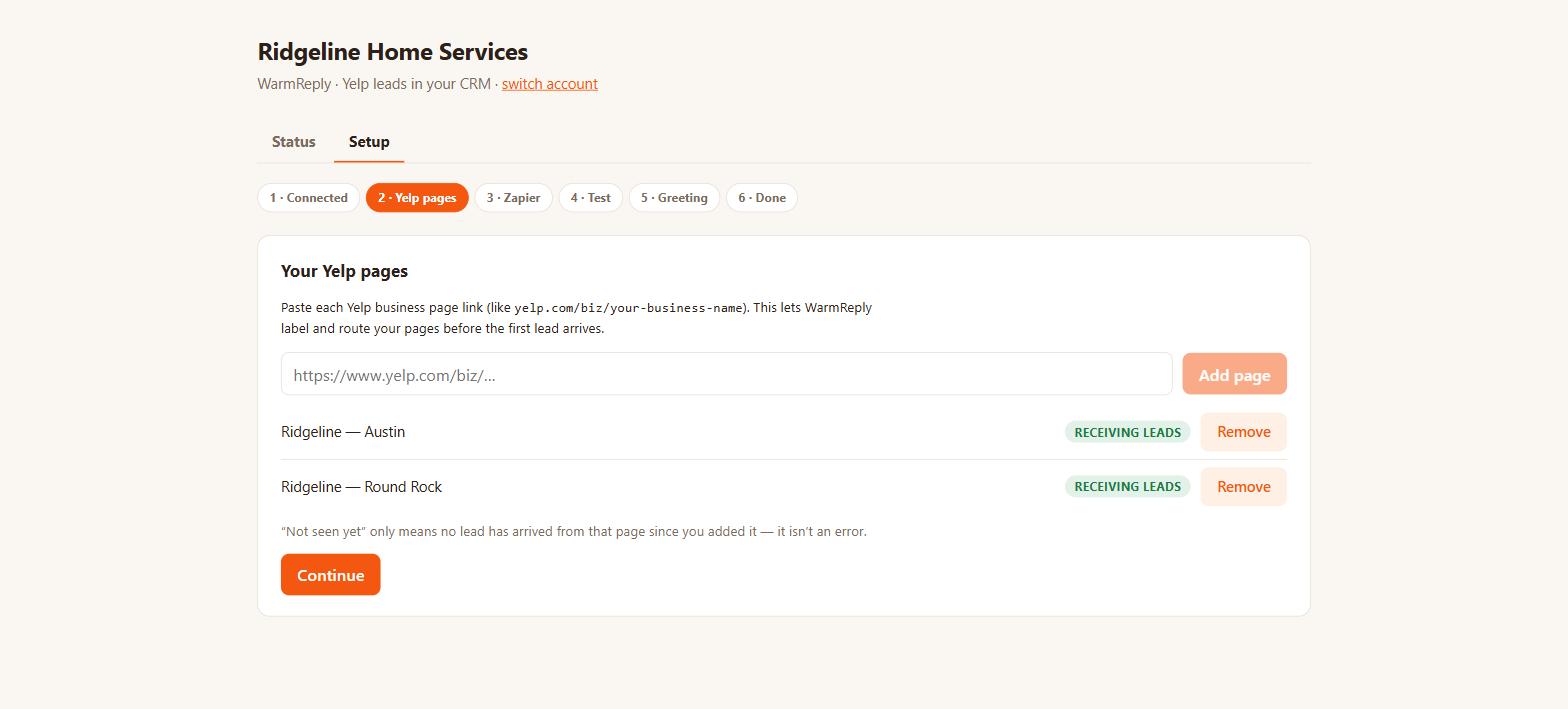
Paste the ordinary public link to your Yelp business page — the
yelp.com/biz/your-business-name one. Add a line for each page if you have
several: every plan includes all your pages, and each conversation gets labeled with the
page it came from.
Step 3 — Connect Zapier
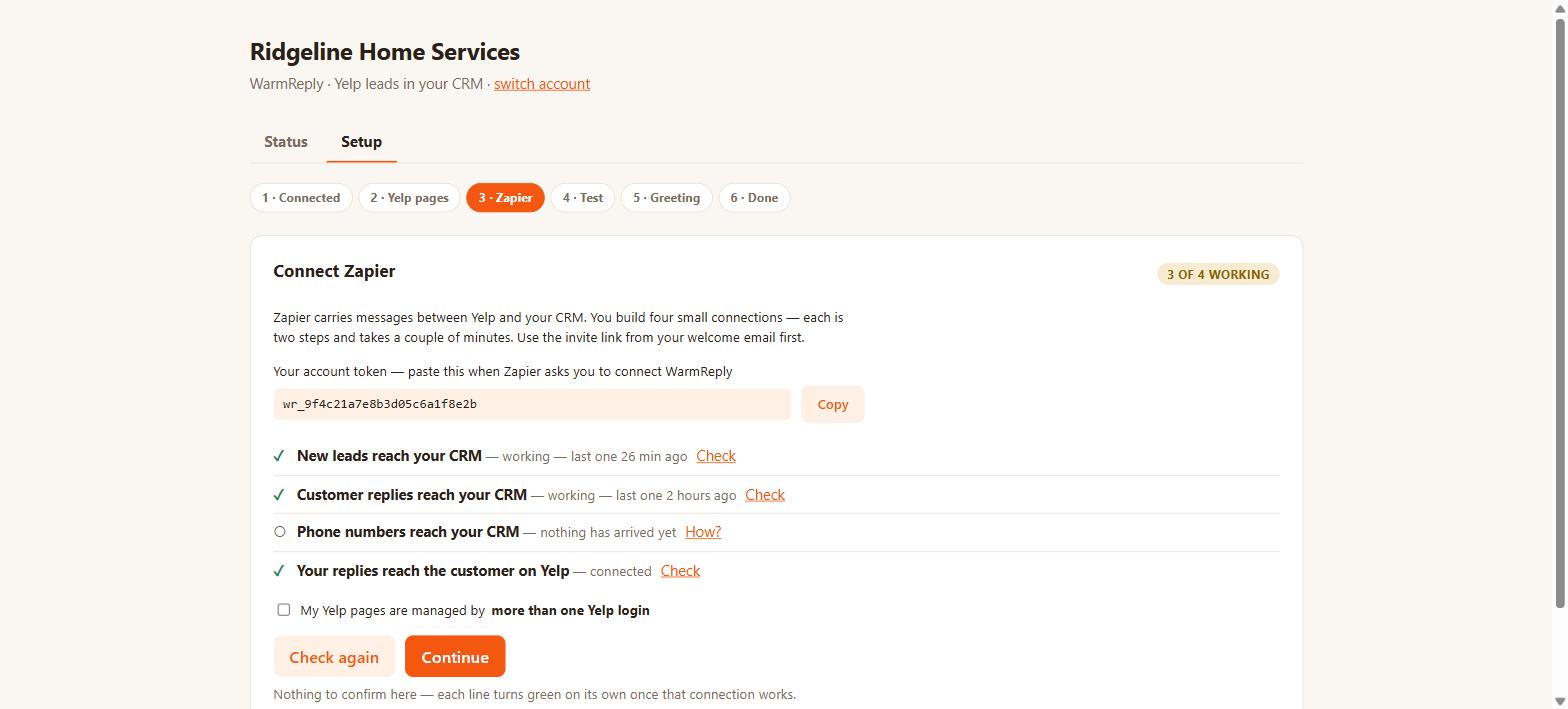
This is the longest step, about ten minutes, done once. Yelp's official Zapier integration is the bridge; a free Zapier account is enough, and Yelp currently covers all Zapier task costs for Yelp Leads workflows (500,000 free tasks a month, Yelp's promotion). You build four small two-step connections — five with the recommended Yelp-app sync — and the checklist verifies each one itself: a line turns green the moment that connection works.
Step 4 — Send yourself a test lead
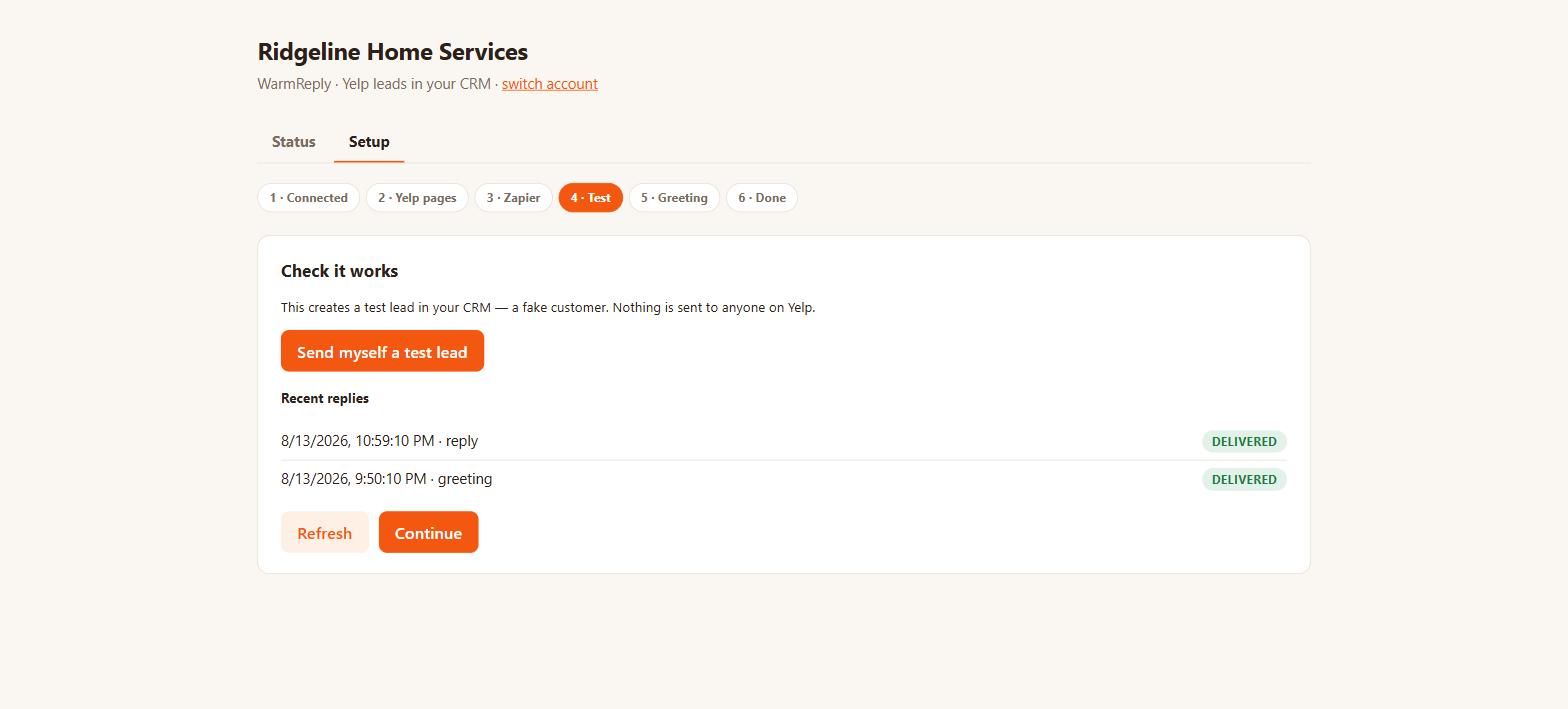
One button creates a fake customer and pushes it through the real path, so you see a lead arrive in Conversations on the Yelp channel before a real customer ever does. Nothing is sent to anyone on Yelp, and the test never triggers your greeting.
Step 5 — Switch on the instant greeting (optional)
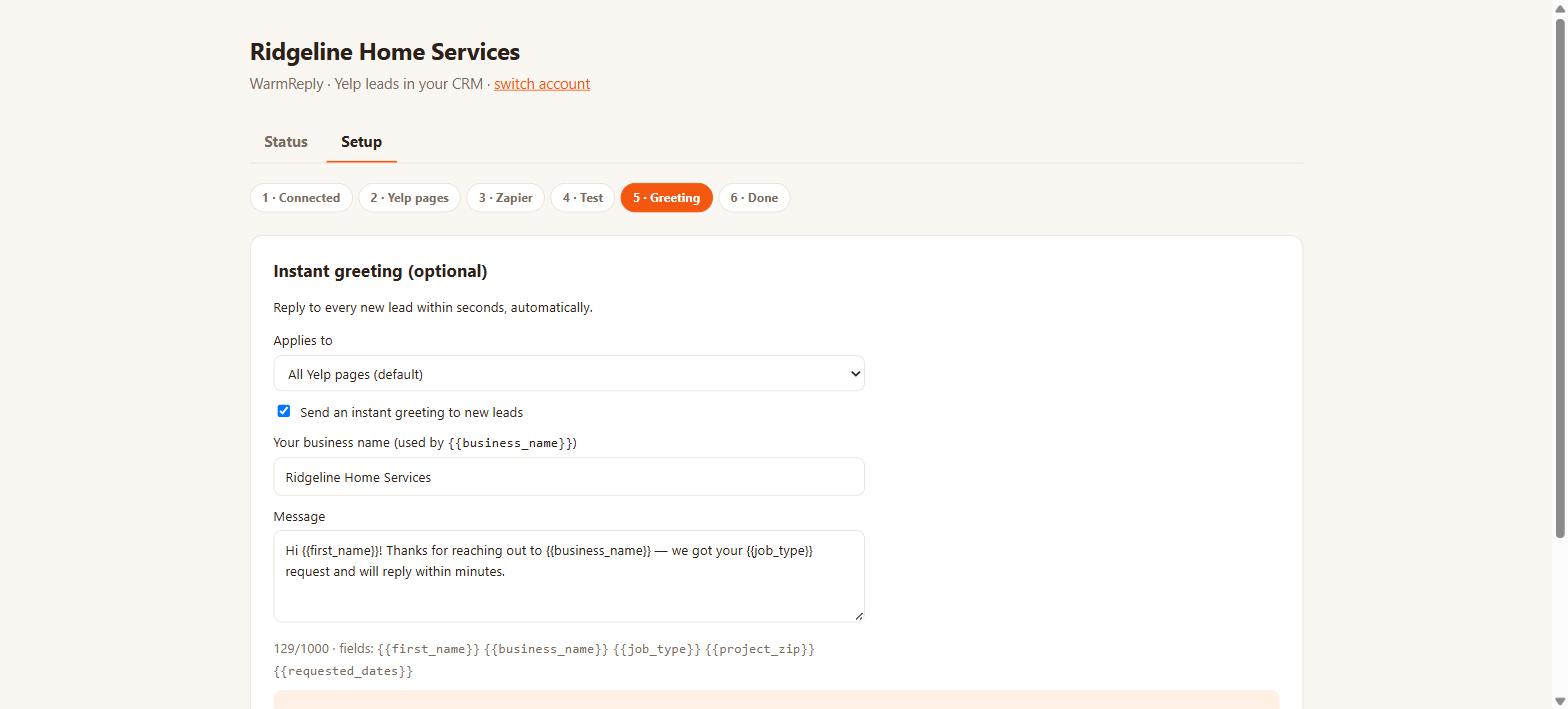
Write the message every new lead should get within seconds — their first name, your business name, the job type and requested dates merge in automatically, and a live preview shows exactly what the customer will receive. It is off until you turn it on and included in every plan.
Done — what it looks like afterward
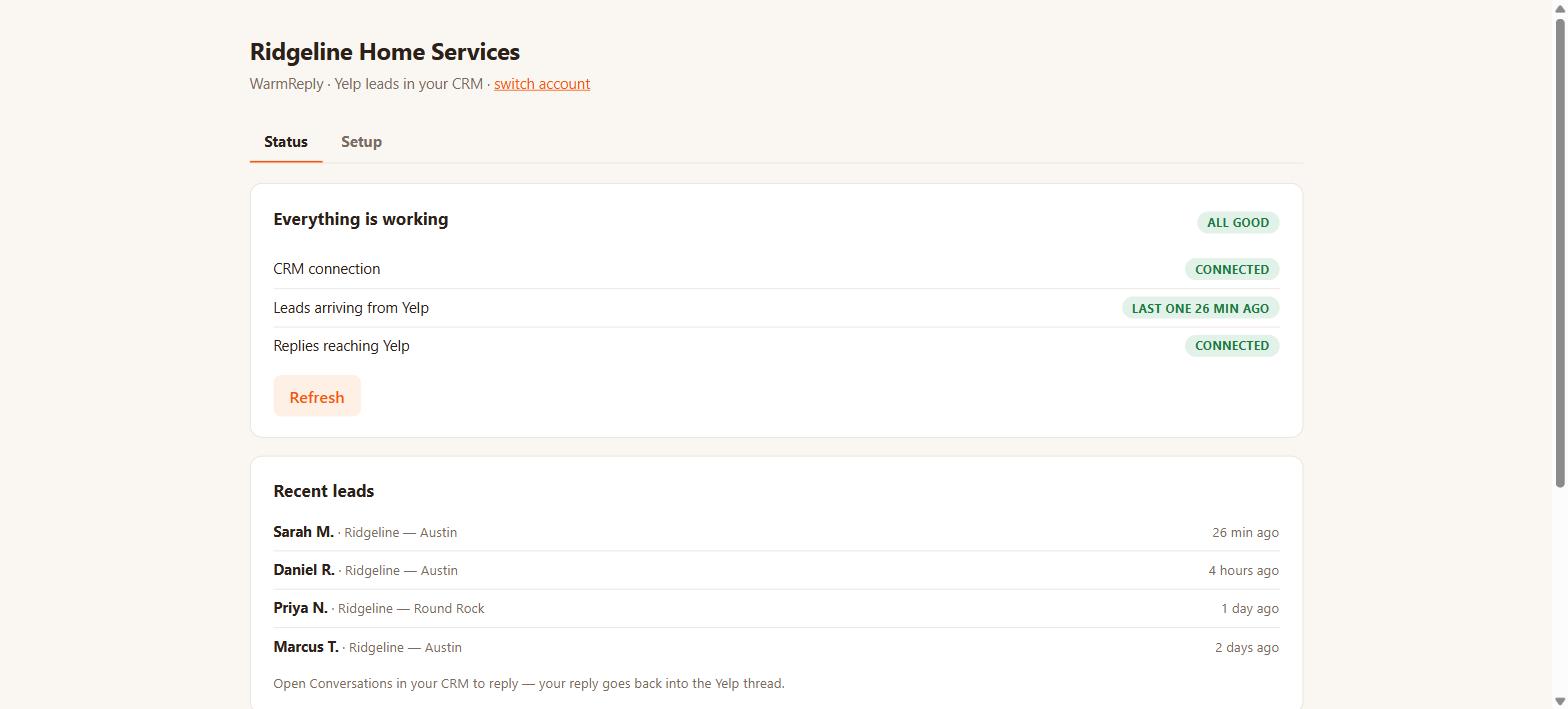
From here your team works Yelp leads in Conversations like any other channel, and WarmReply's status page shows whether leads are arriving and replies are reaching Yelp. $49/month per sub-account, unlimited leads and pages, billed through HighLevel.
Install from the HighLevel marketplace Pricing — $49/mo, 14-day free trial Questions? Contact us
Common questions
Can I connect Yelp to GoHighLevel without Yelp Ads?
Yes. Any claimed Yelp business page with Request a Quote enabled works — WarmReply syncs the lead conversations with no ad spend required.
Do I need a paid Zapier plan to connect Yelp and GoHighLevel?
No. Every connection is a two-step Zap, which Zapier's free plan runs, and Yelp currently covers all Zapier task costs for Yelp Leads workflows (500,000 free tasks a month, Yelp's promotion).
How long does connecting Yelp to GoHighLevel take?
About 15 minutes, self-serve: install WarmReply, add your Yelp page link, build the Zapier connections from the guided checklist, and send yourself a test lead to confirm it works.
Related: What the integration does · The DIY Zapier route, compared · The same walkthrough, inside the product